今回はPDFから文章を取り出すPythonプログラムを作成したので紹介します。以前、PDFファイルをgrep検索するプログラムを作成しましたが、これを改変したものです。
準備
PDFを操作するPythonライブラリであるPDFMinerをインストールします。
|
1 |
pip install pdfminer.six |
使い方
実行すると以下のようなGUIが立ち上がります。
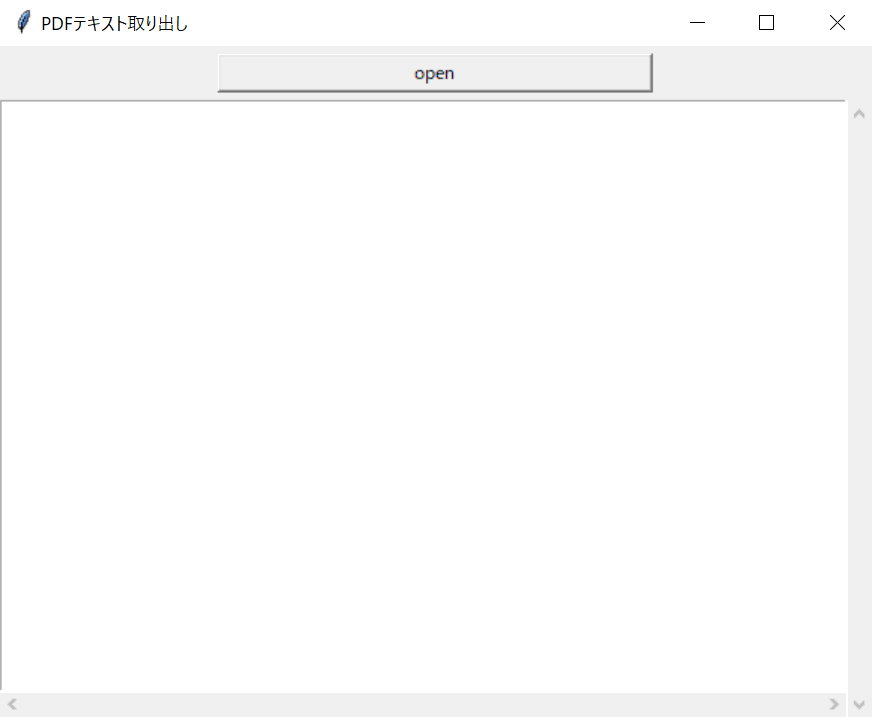
Openボタンを押すと、ファイル選択ダイアログが開くので、PDFファイルを選択して「開く」ボタンを押してください。
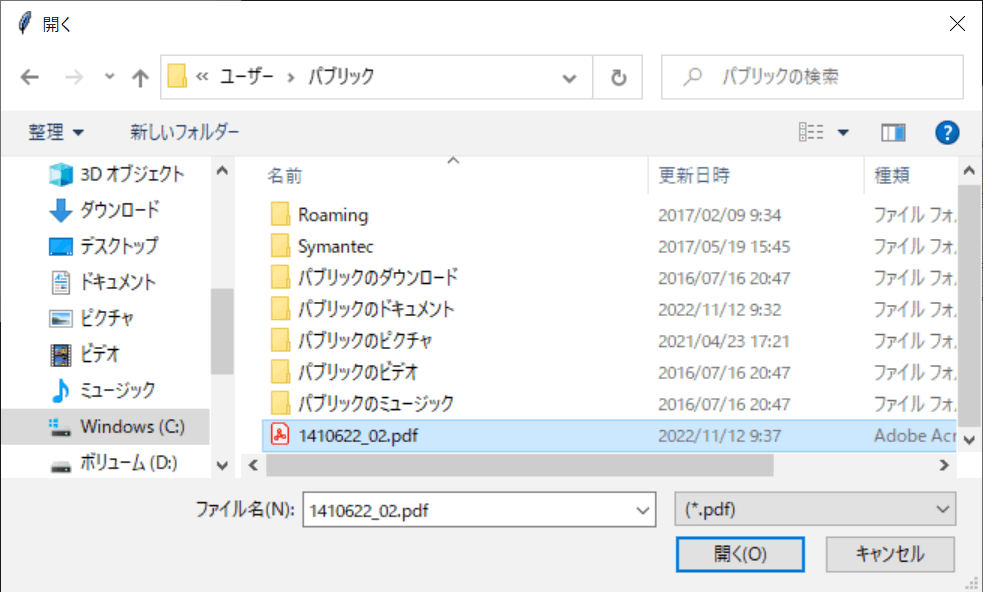
今回は以下のファイルを使わせてもらいました。
文部科学省の概要(パンフレット)令和元年12月発行
しばらくするとテキストエリアにPDFから抜き出した文章が表示されます。
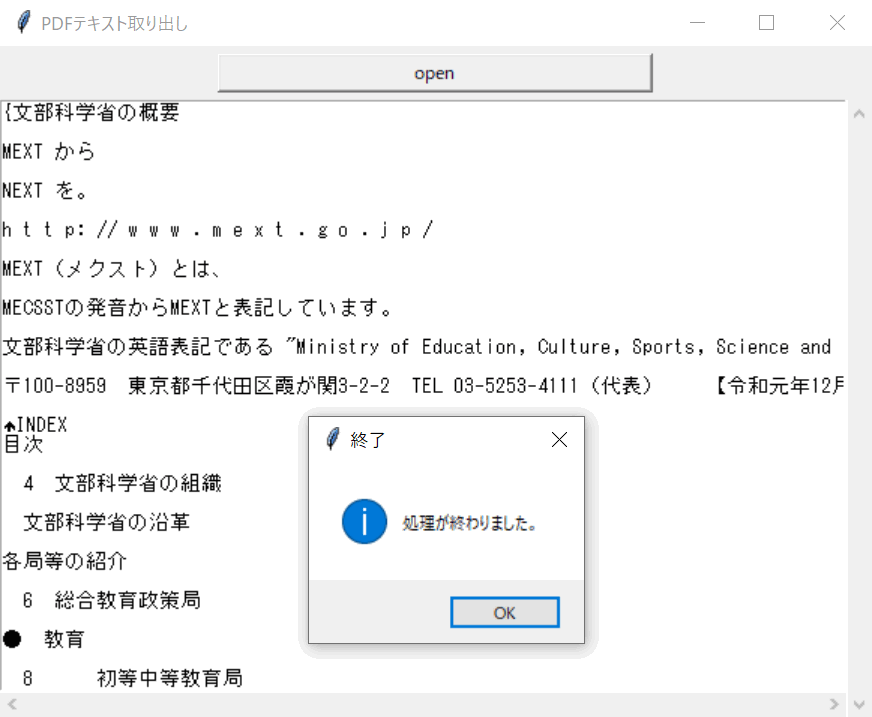
ソースコード
|
1 2 3 4 5 6 7 8 9 10 11 12 13 14 15 16 17 18 19 20 21 22 23 24 25 26 27 28 29 30 31 32 33 34 35 36 37 38 39 40 41 42 43 44 45 46 47 48 49 50 51 52 53 54 55 56 57 58 59 60 61 62 63 64 65 66 67 68 69 70 71 72 73 74 75 76 77 78 79 80 81 82 83 84 85 86 87 88 89 90 91 92 93 94 95 96 97 98 99 100 101 102 103 104 105 106 107 108 109 110 111 112 113 114 115 116 117 118 119 120 121 122 123 124 125 126 127 128 129 130 131 132 133 134 |
from pdfminer.pdfinterp import PDFResourceManager, PDFPageInterpreter from pdfminer.converter import TextConverter from pdfminer.layout import LAParams from pdfminer.pdfpage import PDFPage from io import StringIO import os import re import tkinter as tk import tkinter.filedialog as fd from tkinter import messagebox ############################################################################### # # メインのGUIクラス # ############################################################################### class PDF_extract(): #-------------------------------------------------------------------------# # メインループ #-------------------------------------------------------------------------# def run(self): self.root.mainloop() #-------------------------------------------------------------------------# # 初期化 #-------------------------------------------------------------------------# def __init__(self): self.dirpath = "" self.root = tk.Tk() self.root.title(u"PDFテキスト取り出し") self.frame1 = tk.Frame() self.frame1.pack() self.button_grep = tk.Button(self.frame1, text="open", width=40, command=self.process_files) self.button_grep.pack(pady=5) self.frame2 = tk.Frame() self.frame2.pack() self.text = tk.Text(self.frame2, width=80, height=30, wrap=tk.NONE) self.yscroll = tk.Scrollbar(self.frame2, orient=tk.VERTICAL, command=self.text.yview) self.yscroll.pack(side=tk.RIGHT, fill="y") self.xscroll = tk.Scrollbar(self.frame2, orient=tk.HORIZONTAL, command=self.text.xview) self.xscroll.pack(side=tk.BOTTOM, fill="x") self.text["yscrollcommand"] = self.yscroll.set self.text["xscrollcommand"] = self.xscroll.set self.text.pack(side='top') #-------------------------------------------------------------------------# # プログラムの終了処理 #-------------------------------------------------------------------------# def exit_program(self): self.root.quit() exit() #-------------------------------------------------------------------------# # ファイル選択ダイアログ #-------------------------------------------------------------------------# def ask_input_filename(self, msg = None, types = [('', '*.pdf')]): rt = tk.Tk() rt.withdraw() filename = fd.askopenfilename(title = msg, filetypes = types) rt.destroy() return filename #-------------------------------------------------------------------------# # Grep検索する #-------------------------------------------------------------------------# def process_files(self): # テキストエリアをクリアする self.text.delete("1.0", "end") filename = self.ask_input_filename() if filename == "": return try: text = self.process_files_pdf(filename) self.text.insert(tk.END, text) except Exception as e: print(e) messagebox.showinfo("終了", "処理が終わりました。") #-------------------------------------------------------------------------# # PDFからテキストを取り出す #-------------------------------------------------------------------------# def process_files_pdf(self, filename): # PDFファイルを開く pdf = open(filename, 'rb') rsrcmgr = PDFResourceManager() laparams = LAParams() laparams.detect_vertical = True outfp = StringIO() device = TextConverter(rsrcmgr, outfp, codec='utf-8', laparams=laparams) interpreter = PDFPageInterpreter(rsrcmgr, device) for page in PDFPage.get_pages(pdf): interpreter.process_page(page) text =[outfp.getvalue()] pdf.close() device.close() outfp.close() try: #半角スペースを消す text = text.replace(' ', '') except: pass return text ############################################################################### # # 以下、メイン処理 # ############################################################################### if __name__ == "__main__": app = PDF_extract() app.run() |
ソースコードの説明
process_filesメソッドは「Open」ボタンと関連付けられているので、ボタンを押すとこの関数が実行されます。この中でask_input_filenameメソッドが呼び出され、ファイルを選択するダイアログを開いています。選択されたファイル名をprocess_files_pdfメソッドに渡し、PDFからテキスト情報を取り出し、テキストエリアに出力しています。
98~124行目にあるprocess_files_pdfメソッドでPDFファイルを開き、PDFMinerを使ってPDFに含まれる文字列を取り出しています。
|
98 99 100 101 102 103 104 105 106 107 108 109 110 111 112 113 114 115 116 117 118 119 120 121 122 123 124 |
def process_files_pdf(self, filename): # PDFファイルを開く pdf = open(filename, 'rb') rsrcmgr = PDFResourceManager() laparams = LAParams() laparams.detect_vertical = True outfp = StringIO() device = TextConverter(rsrcmgr, outfp, codec='utf-8', laparams=laparams) interpreter = PDFPageInterpreter(rsrcmgr, device) for page in PDFPage.get_pages(pdf): interpreter.process_page(page) text =[outfp.getvalue()] pdf.close() device.close() outfp.close() try: #半角スペースを消す text = text.replace(' ', '') except: pass return text |
PDFResourceManagerはPDFファイルに含まれるテキストや画像などのコンテンツを管理するクラスです。またLAParamsはPDFファイルのレイアウトパラメータを保持するクラスです。ここでは縦書きにも対応するようにdetect_verticalをTrueにしています。TextConverterはPDFファイルに含まれるテキストを取り出す機能をもったクラスです。第二引数にテキストを出力するStringIO変数を渡しています。PDFPageInterpreterはPDFページオブジェクトを解析するクラスです。
PDFPageクラスのget_pagesメソッドを使って、PDFファイルからページごとの個別情報を取得します。そのページ情報からPDFPageInterpreterクラスのオブジェクトによってテキスト情報を取り出しています。
どうでしたでしょうか。誰かのお役に立てば幸いです。
- 投稿タグ
- プログラミング
